

November 9, 2026
Cold email bounce rate · what is good and what to fix
Visit Premium InboxesA good cold email bounce rate is under 2%. Here is how hard and soft bounces differ, what to do after one, and when to replace burned inboxes.
The short answer
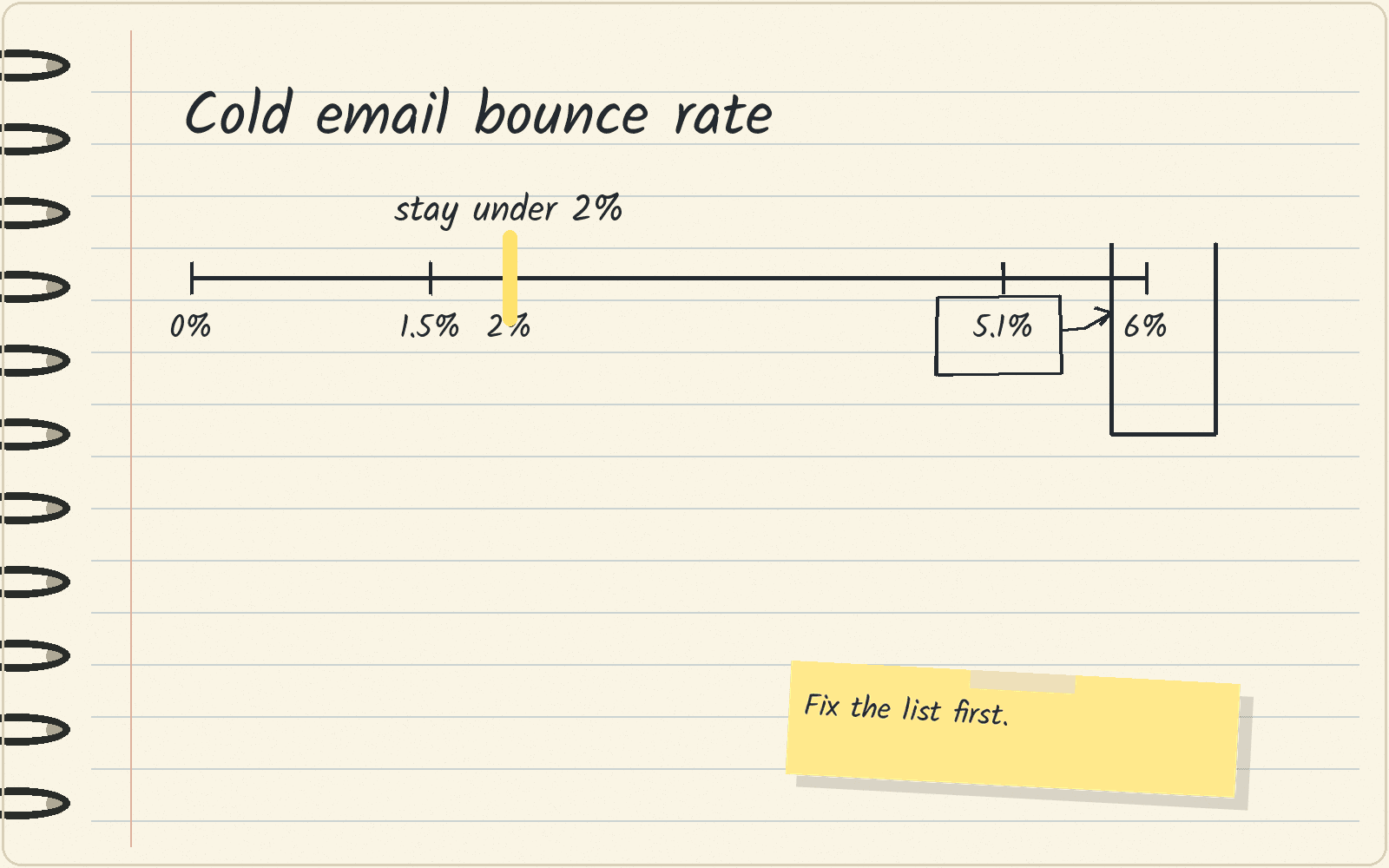
Bounce rate is the share of your sent emails that come back undelivered. For cold email, keep it under 2%. Woodpecker’s cold email statistics call a rate below 2% good, and Smartlead’s State of Cold Email 2026 report calls 2% the danger line.
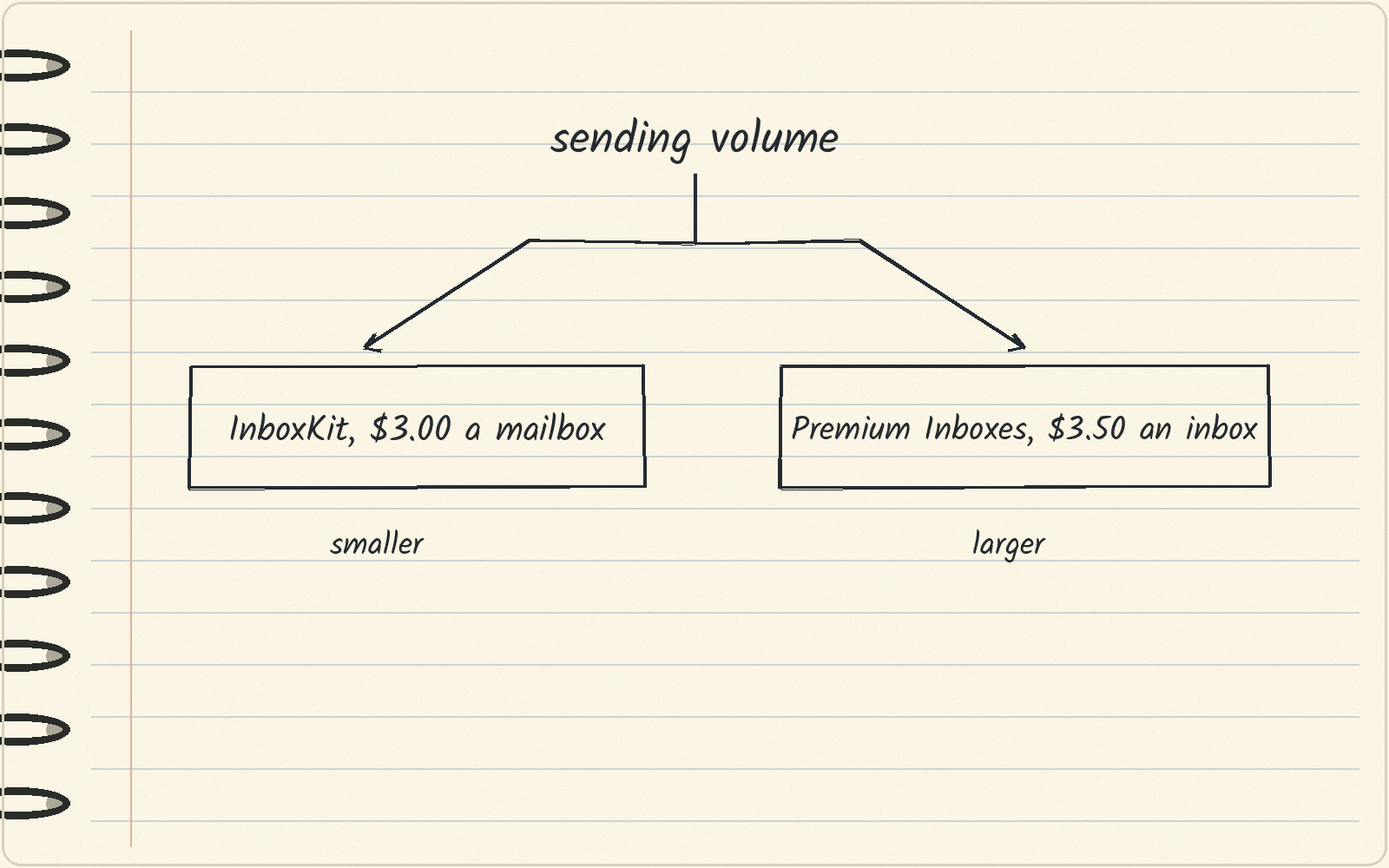
Fix your list first, because a bad list bounces from any mailbox. A mailbox is one email account you send from. If the list is clean and your mailboxes are worn out, buy new ones. Pick InboxKit if you send at smaller volumes, because you can start with a single mailbox. Pick Premium Inboxes if you send at larger volumes and want the setup done for you, with replacement inboxes included when old ones stop working.
Two benchmarks, each with its own source
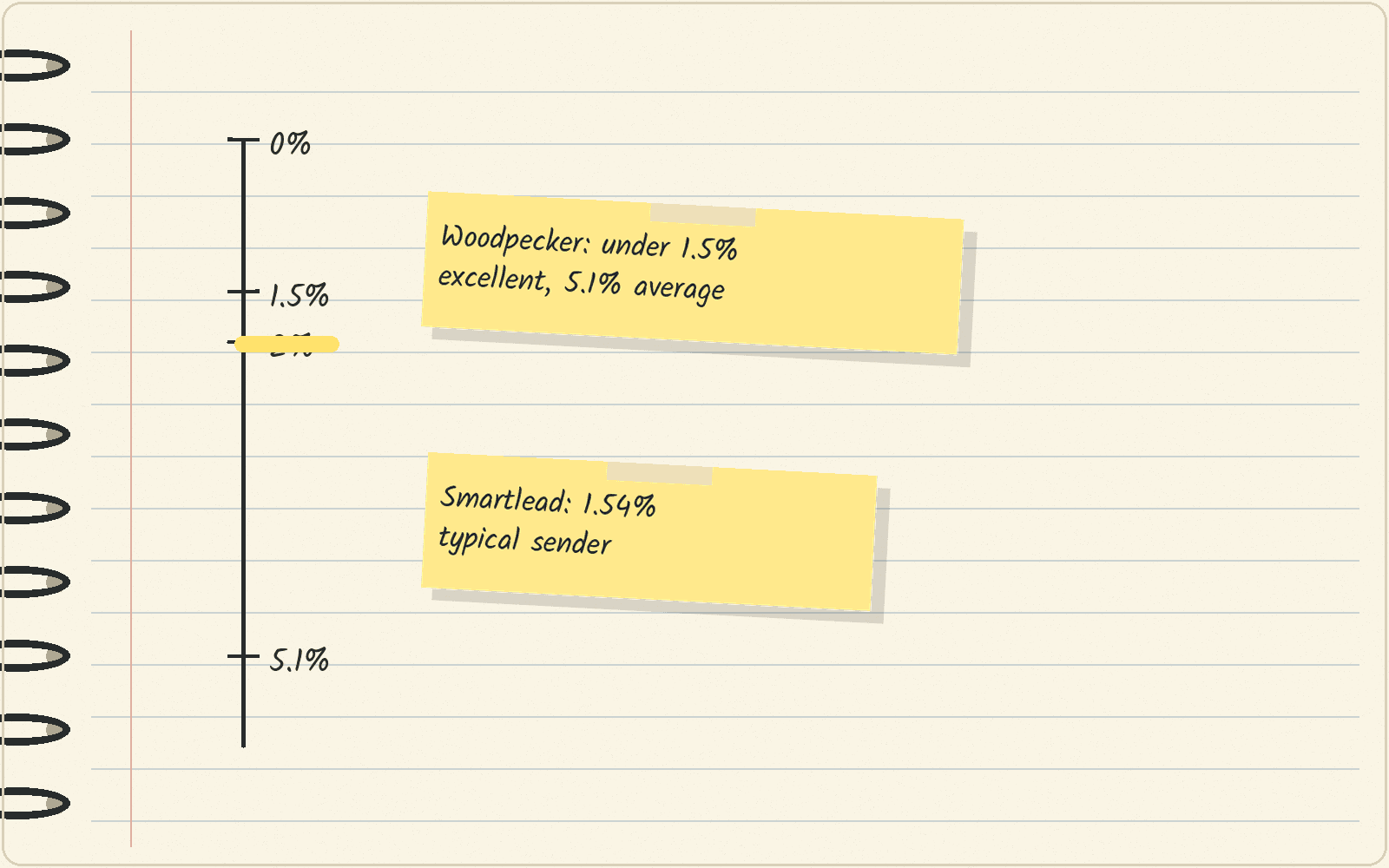
Woodpecker is a cold email sending tool, and it bases its statistics on more than 20 million cold emails sent through its platform. Woodpecker puts the average bounce rate at 5.1%. It calls a rate below 2% good and a rate below 1.5% excellent.
Smartlead is another cold email sending tool. Its report is built from more than 850 million emails sent through Smartlead. The typical sender bounces at 1.54%, and a quarter of senders bounce at 3.21% or higher. Smartlead calls 2% the danger line.
Read each number next to its own source. Woodpecker gives an average. Smartlead gives the typical sender, the one in the middle of the range, and its report says reports differ partly because some quote an average. Both reports put the line to stay under at 2%.
Hard bounces and soft bounces need different fixes
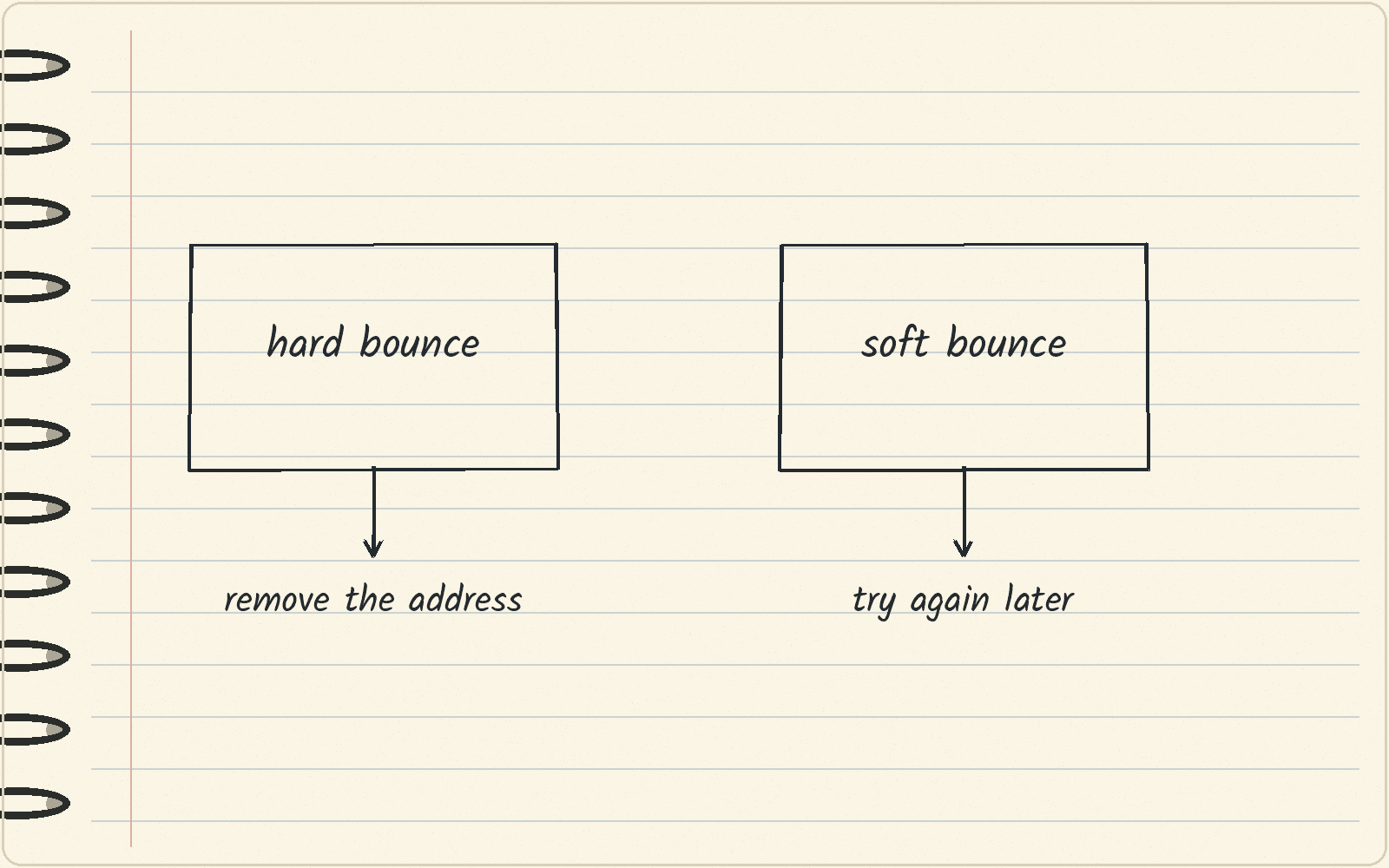
A hard bounce is a permanent failure. The address does not exist, or the receiving server refuses it for good. A soft bounce is a temporary failure, such as a full mailbox or a server that is briefly down.
A sequencer is the tool that sends your email steps over several days. When an address hard bounces, the sequencer should stop every later step to that address, and you should remove the address from your list. Sending to it again only adds more bounces to your rate. A soft bounce can be tried again later, but an address that soft bounces again and again belongs in the remove pile too.
A low bounce rate does not prove you reach the inbox
A bounce only tells you that a server refused your email. An email that does not bounce can still land in spam, and the bounce report will never show it. So a 0% bounce rate says the addresses took the mail. It does not say anyone saw it.
To see where your mail lands, run an inbox placement test. That is a test where you send to a set of seed addresses and check whether each email reached the inbox or the spam folder. The guide to inbox placement tests compares the tools for it.
Clean the list before you blame the mailboxes
Start with the list. Run it through an email verifier, a tool that checks whether each address can receive mail, before you send. Some company domains are catch-all, which means they accept mail for any address, so a verifier cannot tell whether one person’s address is real. The guide to catch-all emails covers how to handle them.
Exponential Advisory, an outbound agency, published numbers from its own campaigns in its Q4 2026 outbound data report, dated November 11, 2026. Addresses a verifier called catch-all bounced at 5.4%, against 1.75% for verified addresses, meaning ones the verifier marked “ok.” That covers 9,450 first sends from October 5 to November 11, 2026. Lists also go stale: 7.3% of 4,803 business emails that passed a verifier in July failed the same verifier 80 days later. The agency says 89% of that 80-day group were crypto and web3 contacts, and one Google Workspace setup sent every email, so your own list may behave differently.
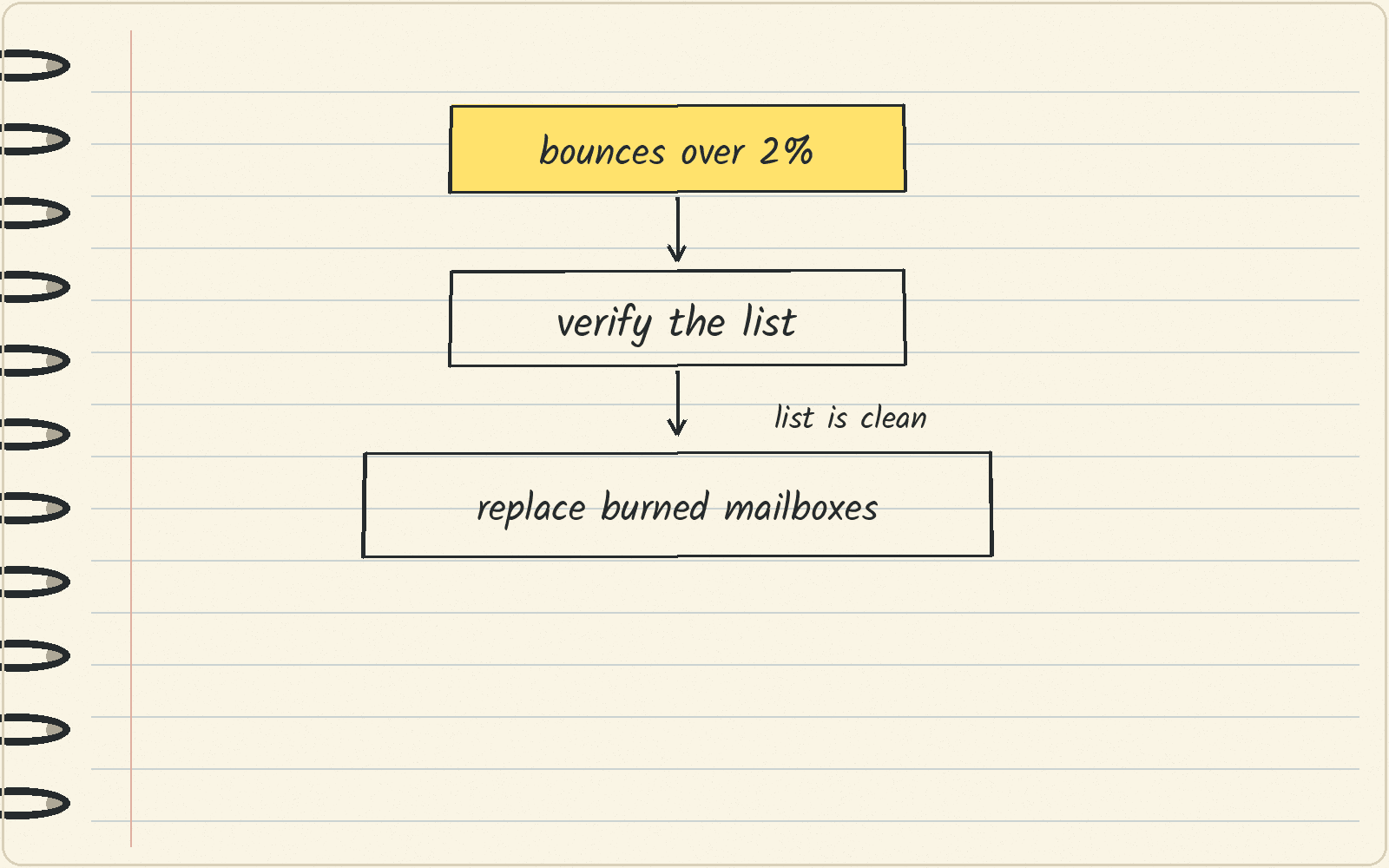
If the list checks out and your mail still bounces or lands in spam, the problem may be your sending setup. Mailboxes and domains can get burned, which means receiving servers have learned to distrust mail from them. Another pass through a verifier will not fix that. New mailboxes on fresh domains will, after warmup. Warmup is sending small, safe amounts of mail so new mailboxes look normal before cold volume. The guide to email warmup tools compares the options.
Which replacement mailboxes to buy
InboxKit charges one flat rate per mailbox. Its pricing is $3.00 per Google or Microsoft mailbox each month on monthly billing, or $2.50 on annual billing. There is no minimum, so you can start with one mailbox and add more as you grow.
Premium Inboxes does the technical setup for you. Its Start Up plan is $3.50 an inbox for 1 to 249 inboxes, and it includes unlimited replacement inboxes, so a burned inbox gets swapped out.
The math: 10 InboxKit mailboxes on monthly billing cost 10 × $3.00 = $30 a month. On annual billing, the same 10 mailboxes cost 10 × $2.50 = $25 a month.
The InboxKit and Premium Inboxes comparison goes through the two plan by plan.
What to do this week
Pull your bounce rate for the last 30 days from your sequencer. If it is over 2%, remove every hard-bounced address and verify the rest of the list. Then run one inbox placement test. If the list is clean and placement is still poor, price replacement mailboxes.
Next · Premium Inboxes pricing covers the plans in detail · InboxKit pricing covers the per-mailbox rates · Cold email infrastructure compares more mailbox providers.
Sources · Woodpecker cold email statistics, viewed November 9, 2026 · Smartlead State of Cold Email 2026, viewed November 9, 2026 · InboxKit pricing, viewed November 9, 2026 · Premium Inboxes, viewed November 9, 2026 · Mailchimp soft vs. hard bounces, viewed November 9, 2026 · Exponential Advisory Q4 2026 outbound data, November 11, 2026